
Creating a business profile
To add activities, events, venues or accommodation to our site, you need a business profile linked to your account. Each account can open one business.
Start in one of two ways
A. When you sign up: On the registration form, choose Account Type → Business (Hesap Türü → İşletme). Enter your Business Name (İşletme Adı) and choose your business type. Once you verify your email, your business is created automatically as a draft.
B. From your existing account: Sign in and open the Create Business Profile (İşletme Profili Oluştur) wizard (/isletme-olustur). If you try to add content without having a business, you are also sent here.
Wizard steps
1. Business type
Choose one main type and at least one subtype. This choice determines which content you can add, so be sure to read: Why does the business type matter?
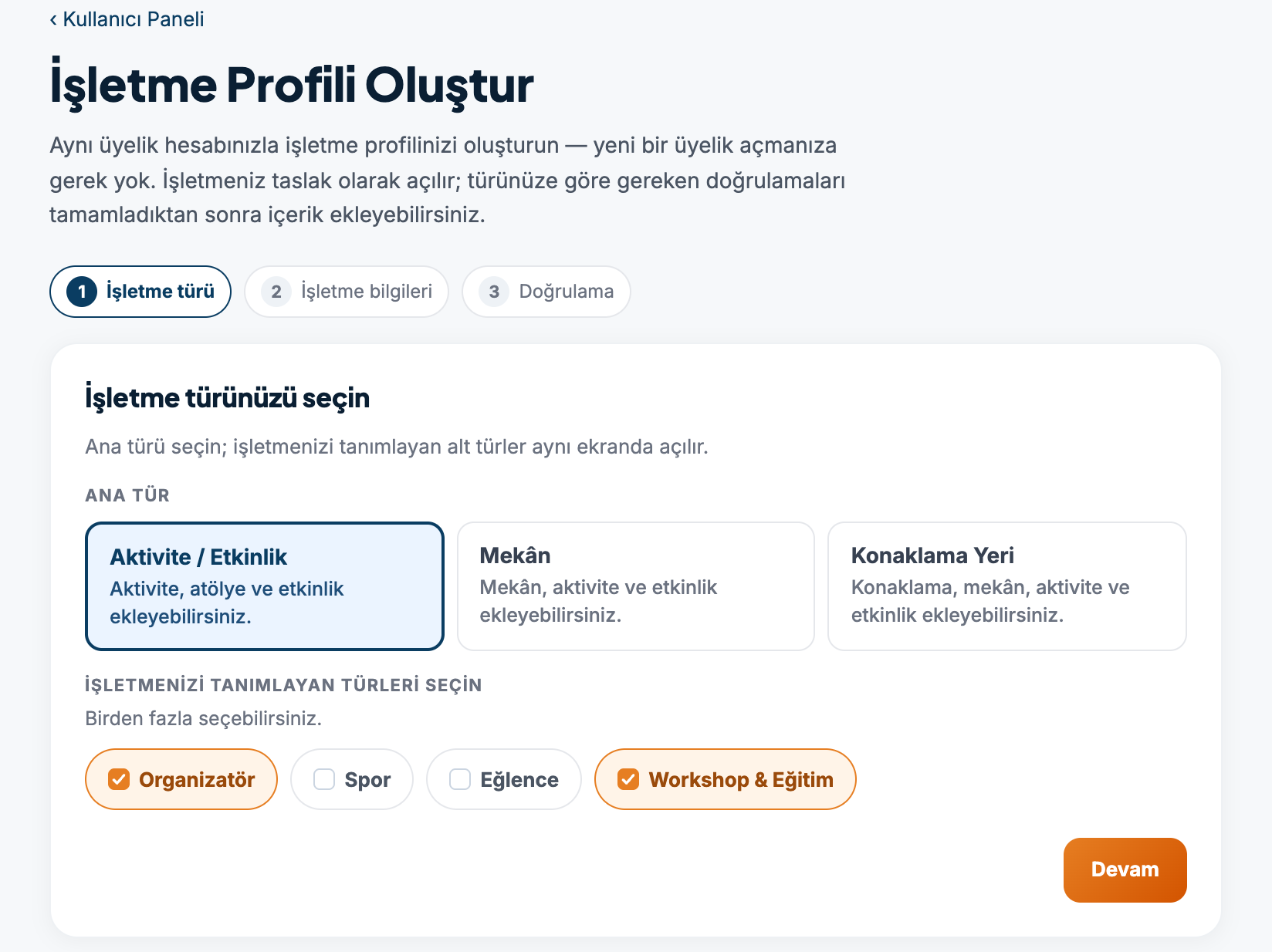
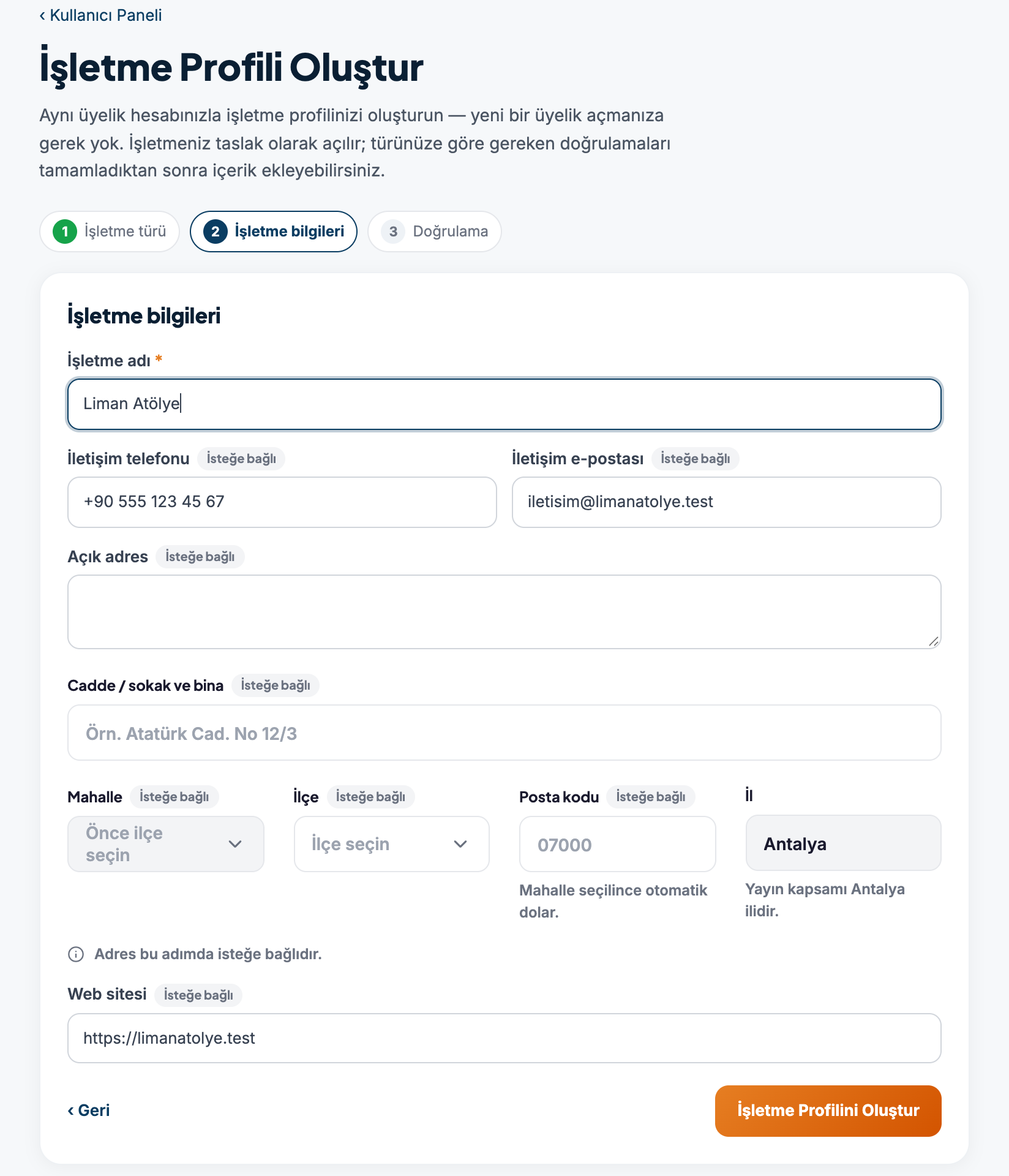
2. Business details
| Field | Required? | Note |
|---|---|---|
| Business name (İşletme adı) | Yes | 2–200 characters |
| Contact phone (İletişim telefonu) | No | Used for verification |
| Contact email (İletişim e-postası) | No | Used for verification |
| Address (Adres) | No | Neighborhood, district, postal code; province: Antalya |
| Website (Web sitesi) | No | Must start with https:// |
Press the Create Business Profile (İşletme Profilini Oluştur) button.
3. Verification
Your business is created as a draft. Use the Go to Business Settings (İşletme Ayarları'na git) button to move on to the verification steps: Business verification and approval process.
Enter your business name correctly
The business name, description and address can't be changed from the panel later. To request a change, contact us.
If more than one person will work on your business
A business has three roles:
- Business owner (İşletme sahibi): Manages everything.
- Manager (Yönetici): Adds content and events, and takes them offline.
- Content editor (İçerik editörü): Adds and edits activities.
To add someone from your team to your business, contact us; memberships are added by the site administration.
Images are uploaded by the business owner
For now, photos and logos can only be uploaded from the business owner's account.